


Mate does not have a designer. We have one frontend engineer, which is me, and a team of strong backend engineers who ship UI when their feature needs a screen, and product managers who are expected to bring high quality concepts with designs on their own, using coding agents. And for a while now, most of the frontend code in our repo has been written by coding agents. Claude Code, Cursor, whichever one has the terminal open.
That is a strange place to build a product from. Every screen is touched by someone or something that does not carry the design in their head. The backend engineer needs guidance. The agent needs rules. And the rules have to be strict enough that a model with no taste for our product produces something that looks like our product anyway.
This post is about how I solved that. Not with a Figma file, and not with a style guide nobody reads. With a design system whose first reader is a machine.
code is solved. design is not.
Writing code with an agent is a solved problem. Give it types, tests, a linter, and a codebase to imitate, and it will produce working software faster than you can review it. Designing with an agent is not solved. Tools like Claude Design are getting better fast, and they already add real value to the process. I would love the day an AI is a genuinely talented designer. But for the product we build, a better model alone will not get there.
The reason is the training data. Models learned design from what is public: landing pages, dribbble shots, template marketplaces, a decade of “dashboard UI kit” posts. That material is mostly decoration. It is optimized for a screenshot, not for an analyst who will stare at a queue of alerts for eight hours. Ask a model to “design a settings page” with no constraints and you get the average of all that: a gradient hero, a card with a drop shadow, three shades of gray text at 40% opacity, an icon that means nothing, and a purple button.
That output has a name now. AI slop. In design it is a real problem, not a meme, because it is fluent. It looks finished. A backend engineer shipping their first screen cannot tell it apart from the real thing, and neither can the next agent that reads the file as an example of how we do things. Slop builds on slop.
A model that cannot design your product can still build it, if the design system leaves it nothing to decide.
So the answer is not a better prompt. The answer is a design system that is comprehensive, so there is a rule for every decision that matters, and strict, so the rule is a rule and not a suggestion. Everything below follows from that.
the domain the model has never seen
There is a second gap on top of the taste gap. We build a security operations platform. Security products have thirty years of legacy behind them, and the people who use ours have used five of the others. They already know what a severity chip is, where the filter bar goes, and what an alert queue looks like. Those patterns are not written down anywhere public. They live behind login screens and in the muscle memory of analysts.
A model has never seen the inside of a SIEM. It has seen the marketing page. So when it invents a “threat dashboard,” it invents it from a marketing page, and an analyst spots that in a second.
To give myself and the agents a reference for this, I built a side project called soux: a library of real cybersecurity product UI, collected from what vendors publish in their docs, blogs, and product pages. Today it holds about two thousand screenshots from over 160 vendors. It is also an MCP server, so an agent working in our repo can ask “how do other products lay out a detection rule editor” and look at six real answers before it writes a line.
One warning, and it matters. In some ways soux shares the weakness of the training data I complained about above. It holds only what vendors chose to publish, which is their best screens and their marketing, so it carries some of the same slop. Seeing how everyone does something is a reason to think, not a reason to copy. I use it for the things that survive the marketing: the conventions. Where the filter bar sits, what columns an alert table has, how a rule editor is split, what an analyst expects to see first. It is most useful when a screen type is new to me and there is no neighbour to copy. It is useless for color, spacing, or polish, and I never let it decide those. The design system decides what we actually build.
write the law first
The center of everything is a single Markdown file, DESIGN.md. It follows a structure agents already understand from other design-system prompts. Every rule cites a section number, and that section number is what everything else in this post points back to.
What makes it work is not the structure. It is the tone. The file does not describe our design. It sets the rules. A few of them, copied as they are in the file:
Data is never muted. A timestamp in a table cell is data → text-foreground.
The "Created" header above it is a label → text-foreground-500.

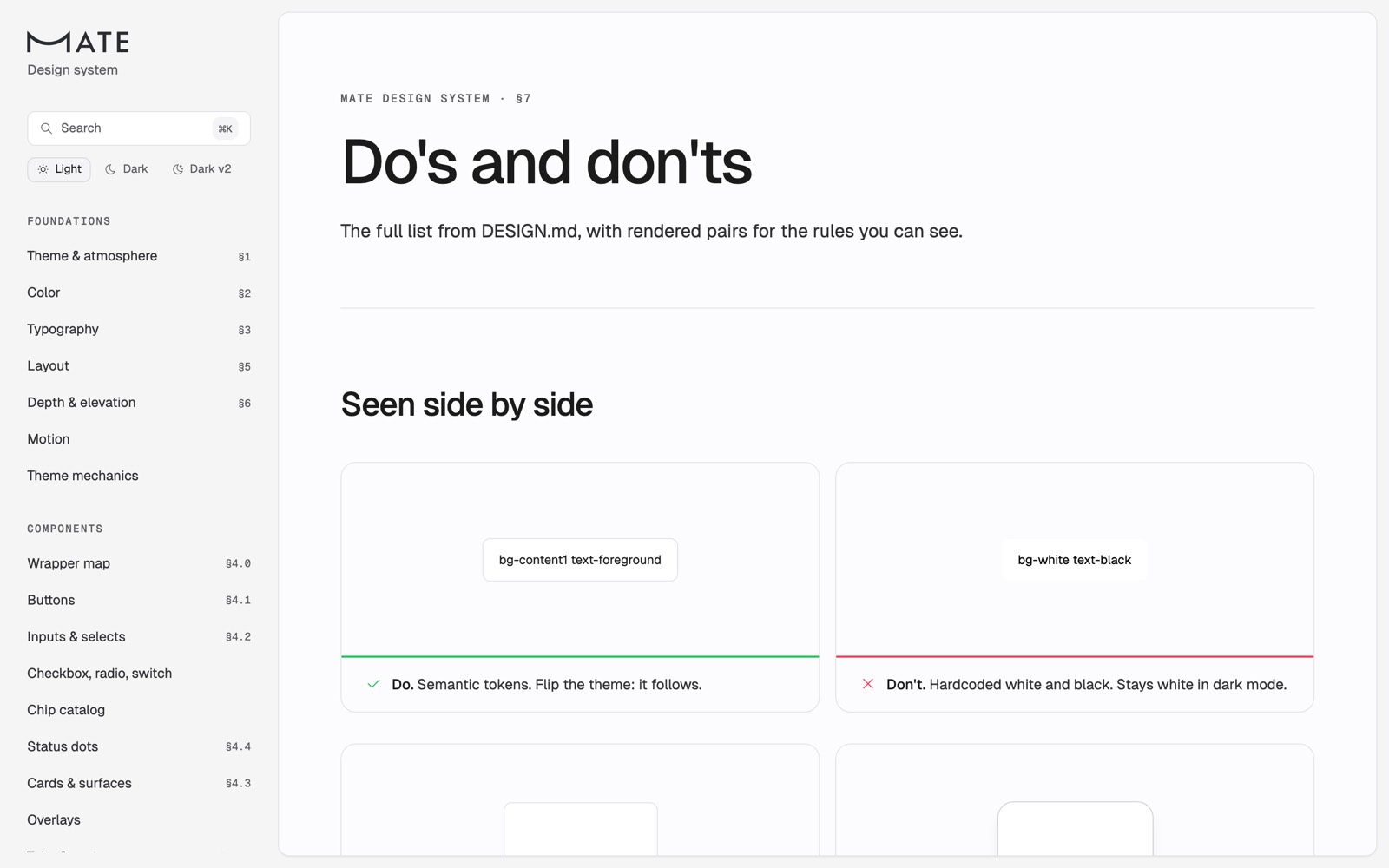
Solid tokens, never opacity. text-foreground/60, /50, /40, /30 are banned
for text. The blends render far lighter than the tokens they pretend to
equal (/60 = 4.5:1, /50 = 3.3:1, /40 = 2.5:1, /30 = 1.9:1 on white).

Delete triggers stay neutral. Trash icons and delete menu items stay
neutral; danger color is reserved for the confirmation step.
Decided 2026-09-23.

In doubt? → STRUCTURAL. Pastels are punctuation. They lose impact when
overused.
Three things about those rules are deliberate. The rules are absolute, with a banned list rather than a preference. They carry the reasoning inline, with the contrast numbers right there, because an agent that knows why is far less likely to argue. And decisions are dated. When two rules seem to conflict, the newer date wins, and the file says so.
The file is also honest about adoption. Next to several rules there is a count of how much of the portal follows them today: how many forms still compose raw fields, how many list strips have icons. That matters for agents in a specific way. A model learns from the code around it, and if the neighbours break the rule, the model will treat the neighbours as the right way to do it. My review skill has a line for this: when the neighbours contradict DESIGN.md, the neighbours are debt, not the example to follow.
One rule shows where the strictness came from. In July I measured text contrast across the portal and found that our most common muted text style appeared over a thousand times and barely passed the contrast floor. Every one of those was written by an agent copying a neighbour. I replaced opacity tiers with four solid text tokens, called it Project Unmute, and wrote it into the law. That is the whole pattern: measure the drift, decide once, write it down as a ban, make the ban checkable.
the vocabulary is the enforcement
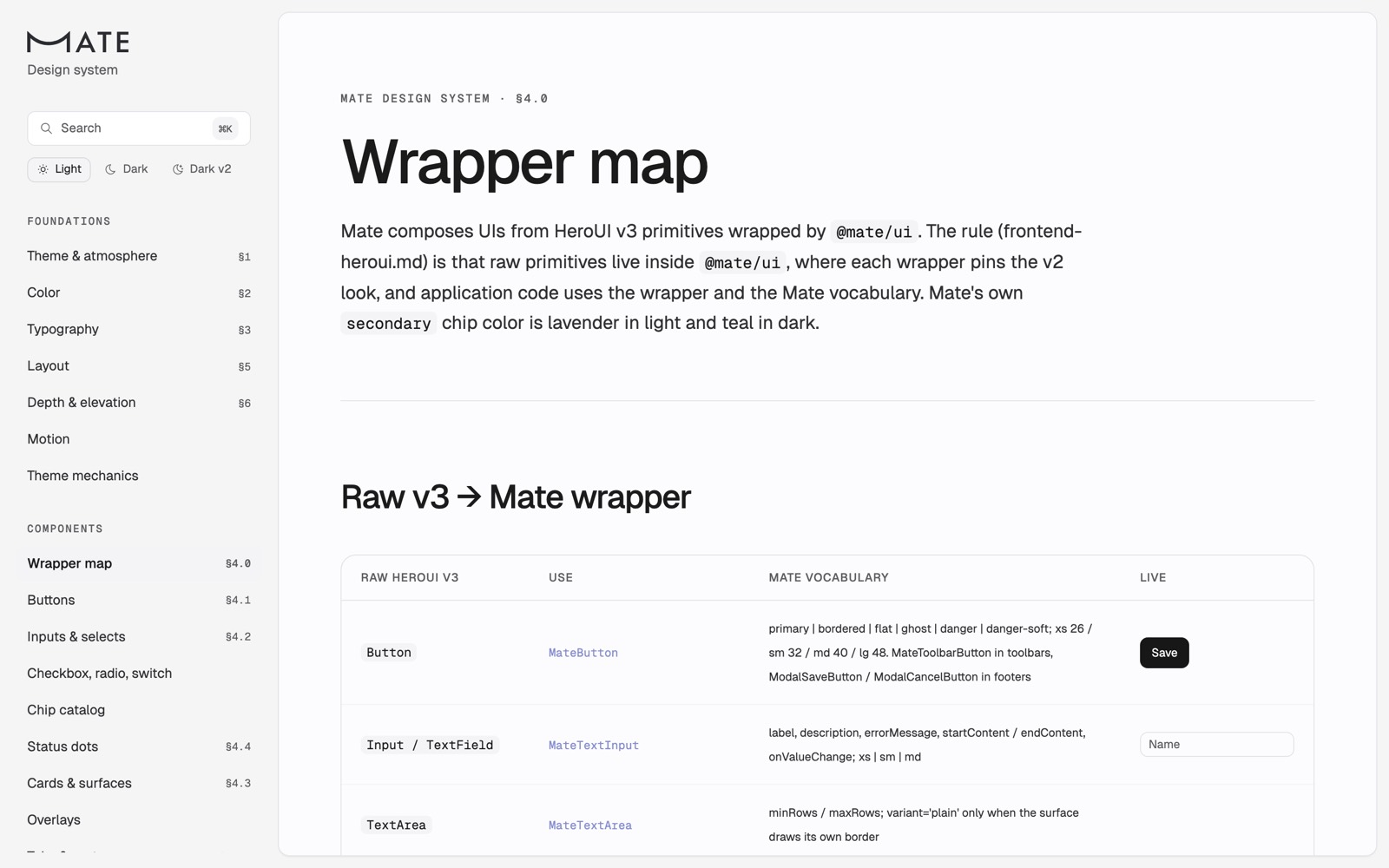
A rule an agent can break by accident is not much of a rule. So the second layer is the vocabulary itself. Our frontend is built on HeroUI v3, but application code never imports a HeroUI primitive. It imports @mate/ui, a package of about a hundred Mate* wrappers, and each wrapper pins the Mate look in one place and exposes only the Mate vocabulary.
// The allowed button vocabulary (DESIGN.md §4.1).
// Every entry maps onto a HeroUI v3 variant, so a v3 change is fixed here once.
const VARIANT = {
  primary: 'primary',
  bordered: 'outline',
  flat: 'tertiary',
  ghost: 'ghost',
  danger: 'danger',
  'danger-soft': 'danger-soft',
} as const
This does two jobs. It makes the library’s own variant names (outline, tertiary) unavailable in product code, so an agent that learned HeroUI from its docs cannot sneak that vocabulary in. And it makes the mapping a single point of change. When I migrated from HeroUI v2 to v3 this month, the first attempt stalled because I tried to migrate screens. The second attempt migrated the tokens and the wrappers, and the screens followed. The wrappers are why the migration worked.
The same idea applies to color. Every color the product paints is a Mate-owned variable, and HeroUI’s own variables are mapped onto ours, so the library paints itself from our palette. There is no hex in application code. An agent that wants a color has to name a token, and the tokens are all listed in the law.
recipes over components
Components are not enough, and I learned that from a different project. When I built generative UI into our chat, the first catalog gave the model 27 primitives, grids, stacks, text, and chips, and let it combine them however it liked. Everything it composed looked assembled by someone who had never seen the product. I replaced the primitives with a dozen complete widgets that already are the product, and the problem went away.
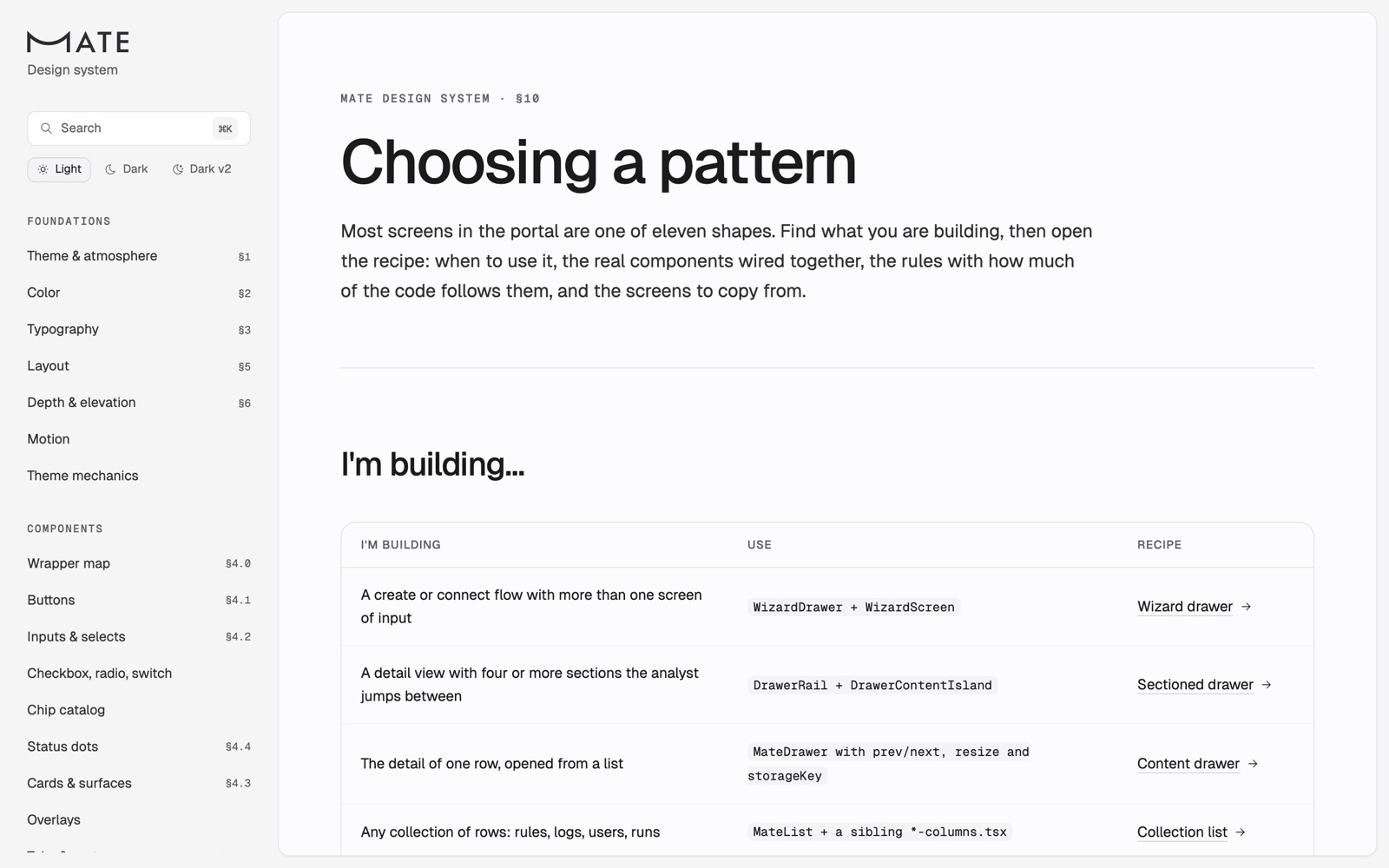
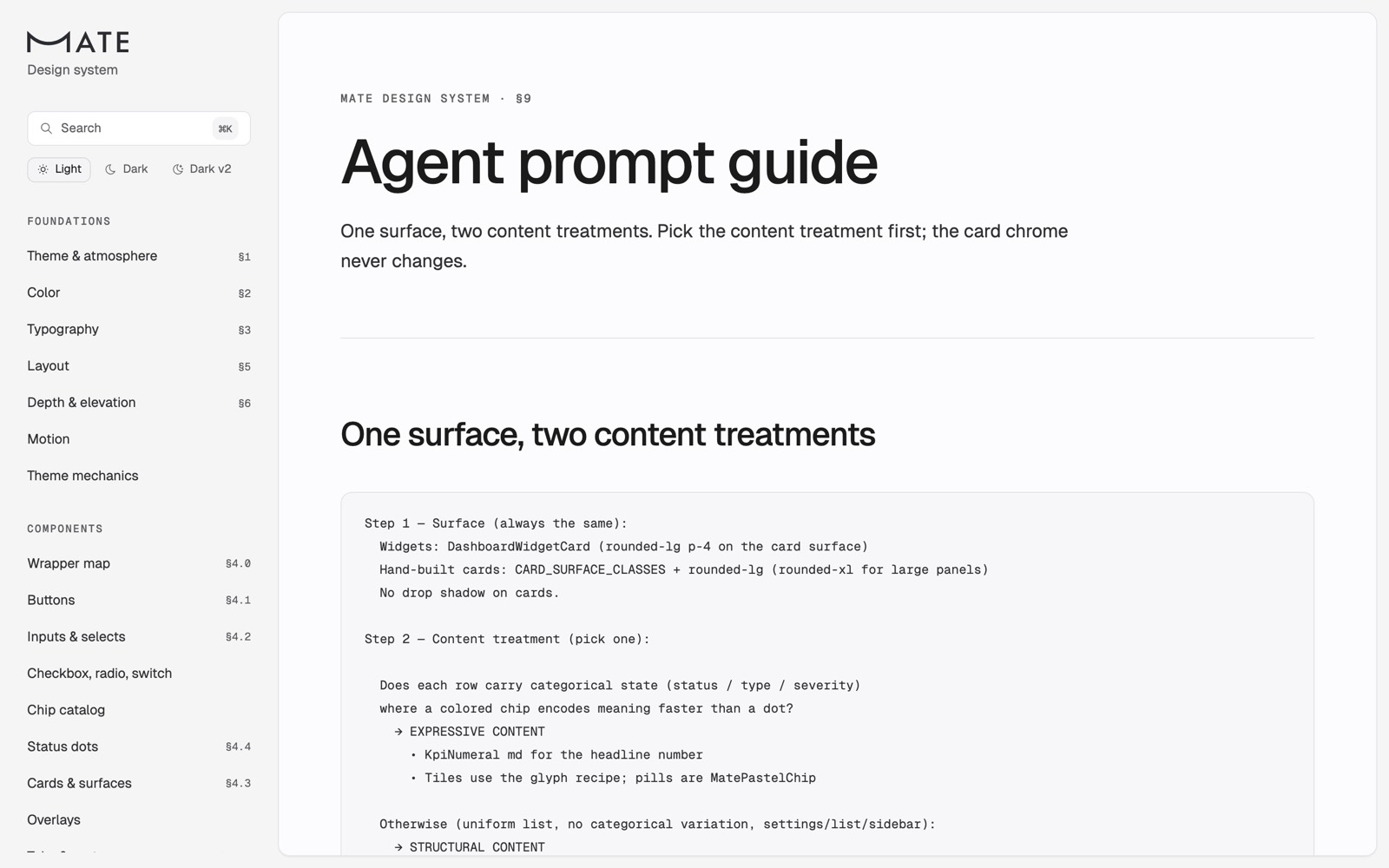
Agents writing code have the same failure. Give one a button, a list, and a drawer, and it will invent a layout on every screen. So the newest and most important section of DESIGN.md is the recurring patterns table. Most screens in our portal are one of eleven shapes: a wizard drawer, a sectioned drawer, a content drawer, a collection list, bulk actions, a settings list page, a settings detail page, confirming an action, a filter header, a dashboard widget, and reading a filter. Each recipe says when to use it, when not to, which components it is wired from, the rules it obeys, and three real files in the portal to copy from.
The instruction to an agent is no longer “build a settings page.” It is “pick the shape first, then build it from the recipe.” Picking the shape is the one design decision I still want made explicitly. It decides whether the screen feels like ours.
agents first: the MCP server
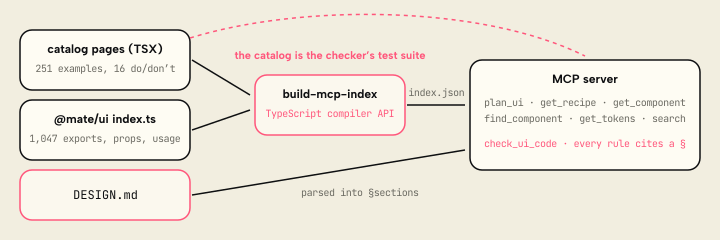
A law nobody reads is decoration. Agents do not browse a website, and they will not read a long Markdown file on every task. They call tools. So the design system is an MCP server, and the server’s instructions tell the agent exactly what order to work in:
- plan_ui. Describe the screen in a sentence. It returns the recipe that fits, the components it is built from, the DESIGN.md sections to read, and the portal files to copy.
- get_recipe, get_component. The anatomy, the rules, the props, real example code, and the do/don’t pairs that mention this component.
- Write the code with wrappers and tokens only.
- check_ui_code on every file touched. Fix every error before reporting the work as done.
Every result links back to the page in the catalog that renders it live, so a human reviewing the agent’s work can see the same thing the agent saw.
The checker is the part I would build first if I did this again. Lint can forbid an import. It cannot say “this cancel button should be ghost” or “this muted text will fail contrast in dark mode” or “delete triggers are neutral, red is for the confirmation step.” check_ui_code runs about two dozen of those rules over a snippet or a whole file, and every violation cites the section it breaks and the fix. Here is what it says about a card that looks perfectly reasonable if you learned React from the public internet:
check_ui_code · a reasonable-looking card, as an agent would write it

6 errors, 1 warning in example-settings-card.tsx.

L1  error    raw-heroui-primitive (§4.0): Button → MateButton.
             Import the wrapper from @mate/ui instead.
L1  error    raw-heroui-primitive (§4.0): Card → MateCard.
L2  error    lucide-icons (§4.10): icons come from @tabler/icons-react.
L6  warning  drop-shadow (§6): shadow-lg. Hairline borders instead of
             drop shadows on cards and panels.
L6  error    no-dark-variant (§7): bg-white without a dark: variant.
             Use a surface token (bg-island-bg dark:bg-content1).
L7  error    em-dash (§7): no em dashes in user-facing copy.
L7  error    text-opacity-or-palette-gray (§2.2): text-gray-500.
             Use the solid ladder: text-foreground-700 (body),
             text-foreground-500 (muted).
Each of those rules exists because something like it reached a pull request. The checker is not clever, and it does not need to be. It also says what it cannot do: it cannot judge layout or pattern choice, so it tells the agent to compare the result with its recipe.
What keeps the checker honest is that the catalog is its test suite. Every example in the catalog must pass with zero errors. Every “don’t” panel must be flagged. Every rule must cite a section. The document and the checker cannot drift apart without a test going red.
the same law in three places
Agents read more than tools. They read the rule files the editor injects, and they run skills. I author all of that once and generate the copy each editor wants from it, because copies that can drift will, and two editors would end up enforcing two different laws.
The frontend rules are short and mostly about vocabulary: use the wrapper, never the primitive. The heavier judgment lives in three skills:
- Design review. A strict rules check on a diff. Every finding must cite the section it breaks. The skill’s own words: it is not a taste review. If
DESIGN.mddoes not decide it, it is not a finding. - Frontend review. The logic and bug review. It hands the design rules check to the design review, on purpose, so the design rules do not crowd out the bug hunt.
- Design grill. A silent design partner for new UI. It researches existing tokens and components, proposes two or three coded options, and flags the “AI tells” before I see them.
The point of this layer is not to say the same thing three times. Each reader gets the law in the shape it can act on. A rule file is read before the first keystroke. A tool is called mid-task. A review skill runs after. Same section numbers throughout, so a finding in review points at the same paragraph the agent should have read at the start.
humans get the same data
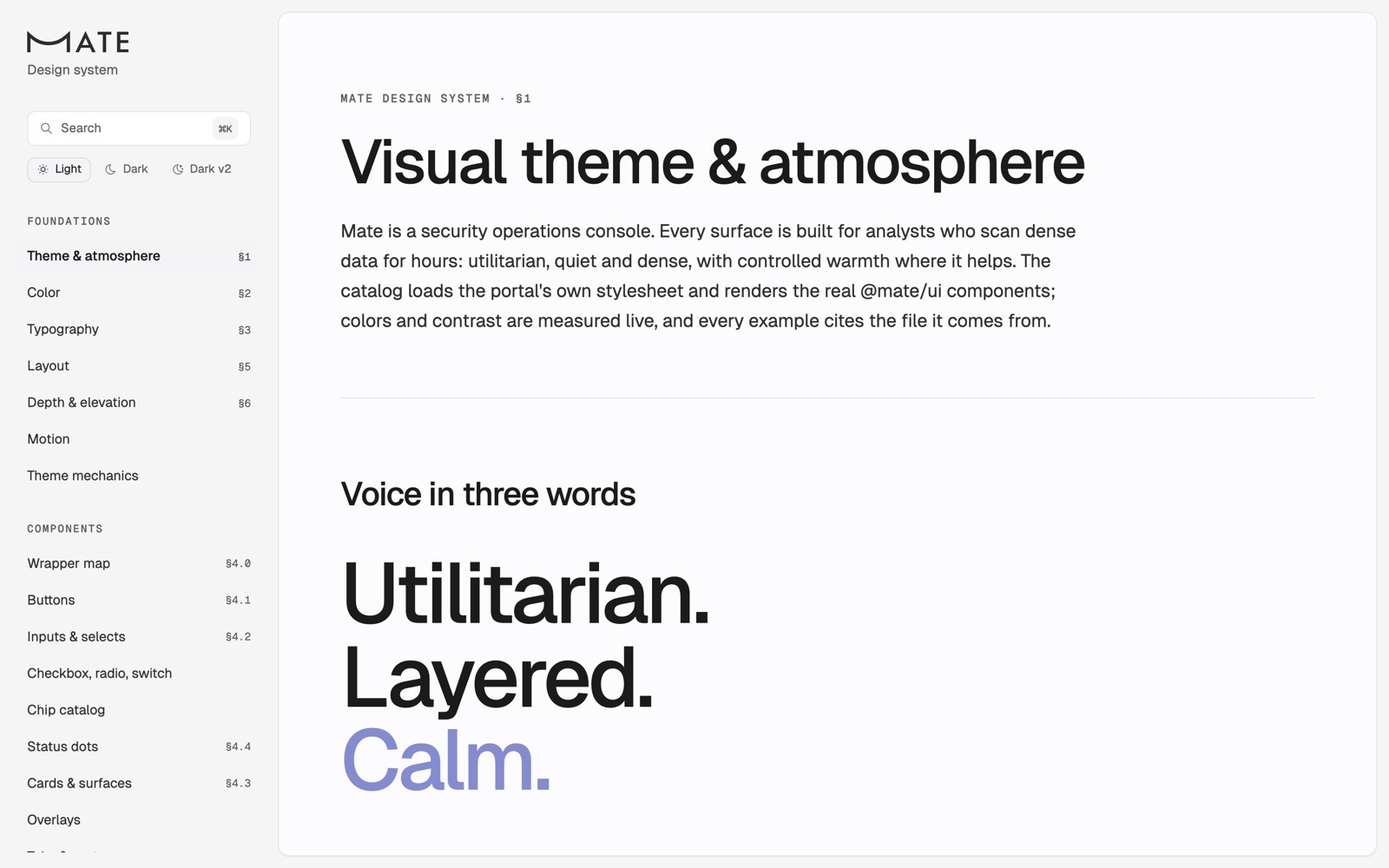
None of this means humans were an afterthought. Backend engineers need somewhere to look before they ask an agent for a screen. Product people need the same thing, because they build mocks with agents too. And I need somewhere to see whether the rule I just wrote actually looks right in dark mode. So there is a full design-system web app, and the rule for it was simple: it must render the product, not a copy of the product.
Every page renders the real components on the portal’s real stylesheet, so what you see in the catalog is what ships. Every example cites the file it was taken from, and next to many of them is an “in the code today” note with the adoption count, so the catalog never overstates how much of the product follows it.
It is the same data the MCP server reads. The agent index is built from the catalog’s own pages: every example, every do/don’t pair, every rule list, and every recipe. Write a page for humans and the agent tools learn it on the next build. That is the whole trick: one authoring surface, two audiences, no second copy to rot.
what i would tell you to do
If you are building a product with agents and no design team, here is the version of this I wish someone had handed me.
- Write rules, not descriptions. Write bans with numbers and dates. “Prefer solid text tokens” is ignored. “Opacity is banned for text; /40 is 2.5:1” is obeyed.
- Make the vocabulary the enforcement. Wrap your component library so the only words available in product code are your words. The wrapper is also where the next migration happens.
- Ship recipes, not just components. The decision that makes a screen feel like your product is the shape. List the shapes and make choosing one the first step.
- Make it callable before you make it browsable. A plan tool at the start and a checker at the end change agent output more than any rule file. Every checker finding must cite the section it enforces.
- Generate, don’t duplicate. One source, an index built from the real code, and the catalog as the checker’s test suite. Documentation that can drift will drift.
- Feed the domain in explicitly. The model has never seen your users’ other tools. Give it references, with a note about where they came from.
- Be honest about adoption. Print the debt next to the rule. Otherwise the agent learns from the neighbours.
Two things are not finished. Nothing in CI runs the checker over a pull request yet. And the law can still contradict itself in prose: one paragraph still describes the opacity tiers I banned. The tests catch a rule without a section, not a section that contradicts another.
The model will not develop taste for a security console from more of the internet. It does not need taste if the system leaves it nothing to guess. Strict, comprehensive, checkable, and written for the reader that actually writes the code. That is what a design system is for now.